Lkw-Banner3zu1

GET STARTED WITH YOUR VDO LINK!

First step: Get in contact with VDO Support

In order to proceed with inquries regarding VDO Link, please click "Copy" below this text, which will let you paste in the form below for support from VDO professionals.

Step 2: Fill our Support Form


GET QUICK ANSWERS TO YOUR QUESTIONS

Looking for quick guides how to use the VDO Link? We have prepared answers to your most frequent questions below.


WHAT IS VDO LINK?

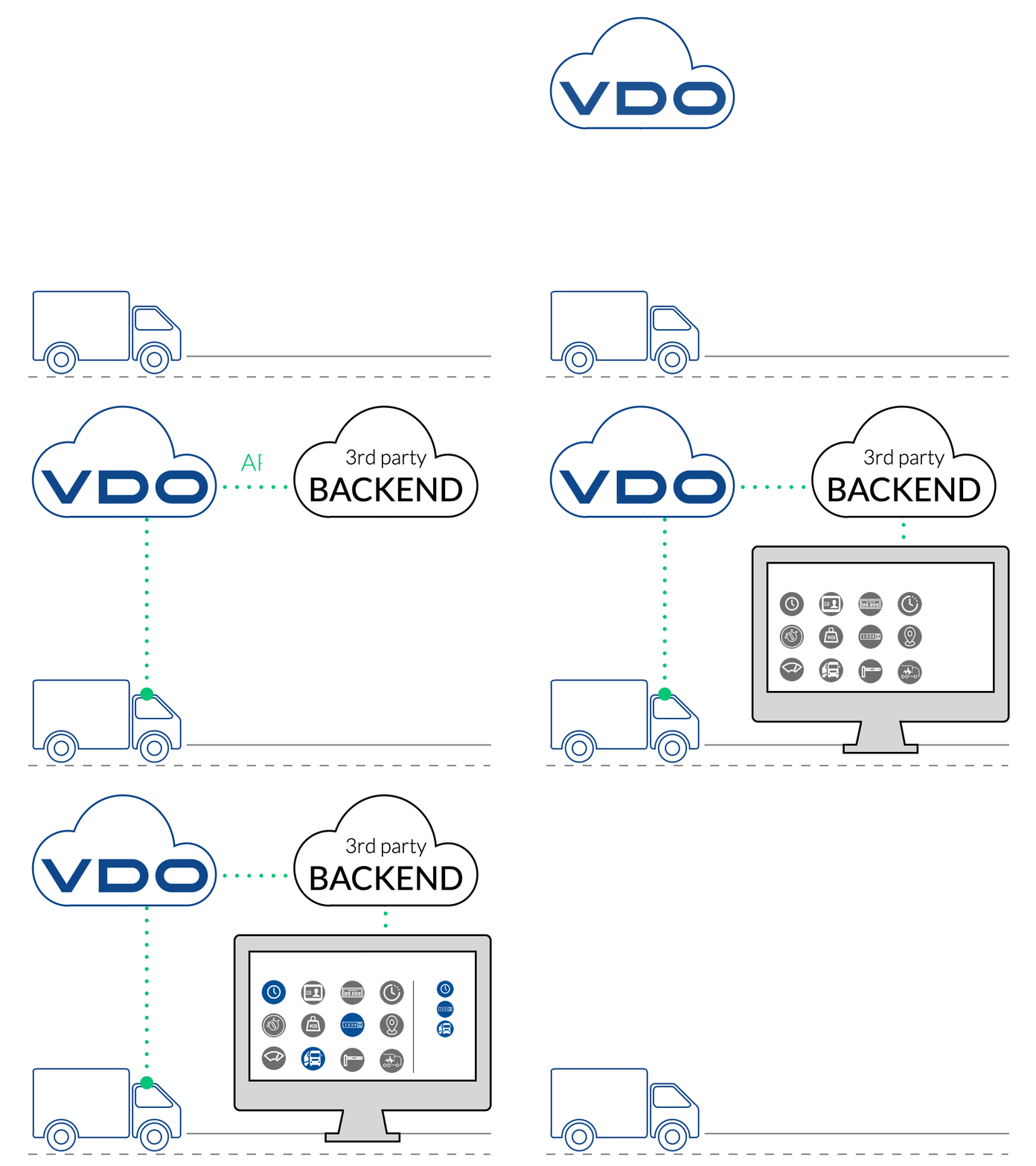
The VDO Link is an innovative plug-and-play telematic solution that offers a variety of intelligent services for VDO tachographs. The device connects to the tachograph and enables real-time data transfer, making it easier for fleets to manage their operations and comply with regulations.

The VDO Link provides access to a range of features including remote download and analysis of tachograph data, simplified driver card management and real-time monitoring of driver and vehicle activities including track & trace functionality.

With its user-friendly interface and seamless integration with existing systems, VDO Link is an indispensable tool for fleet managers looking to streamline their operations and ensure compliance with the latest regulations.

More about the VDO Link

Get Started

VDO Link

FEATURES WITH VDO LINK

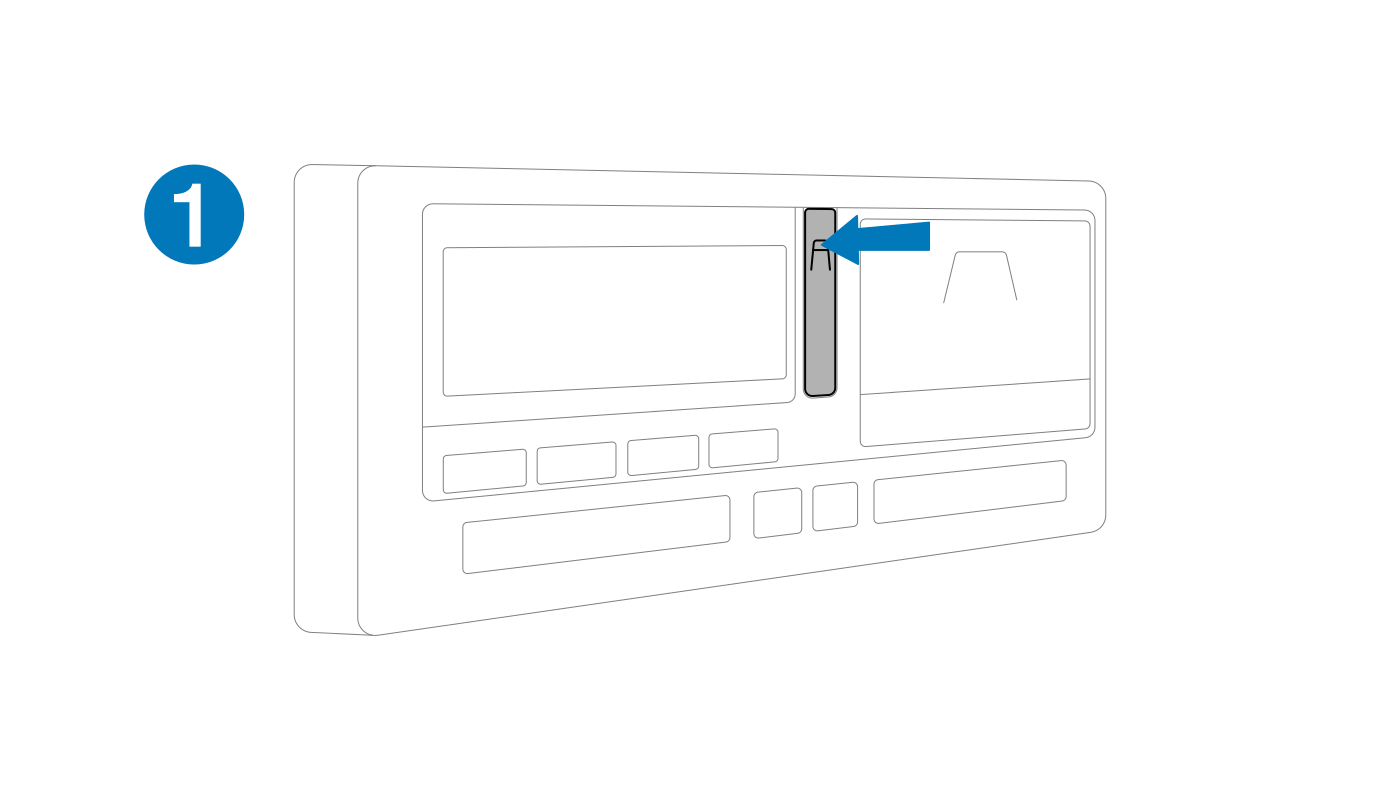
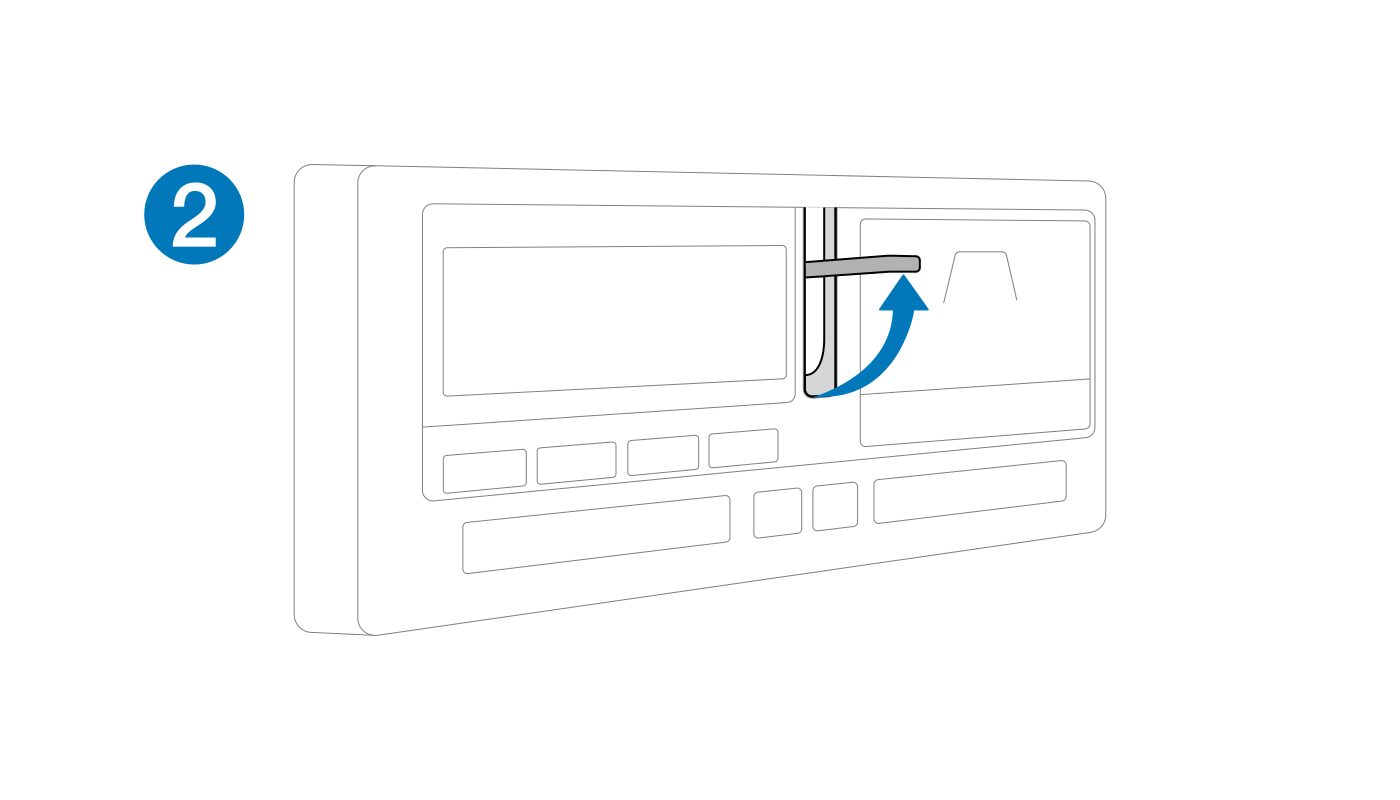
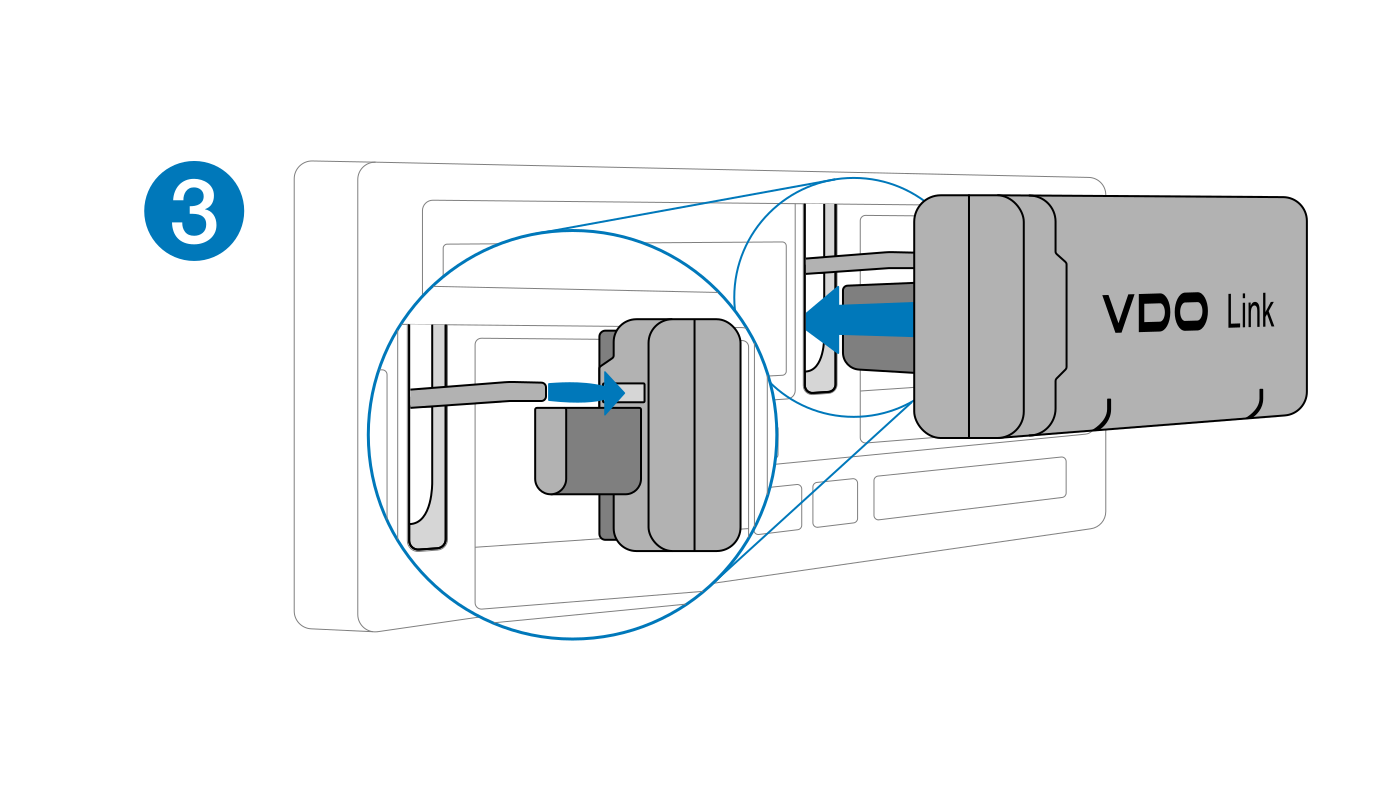
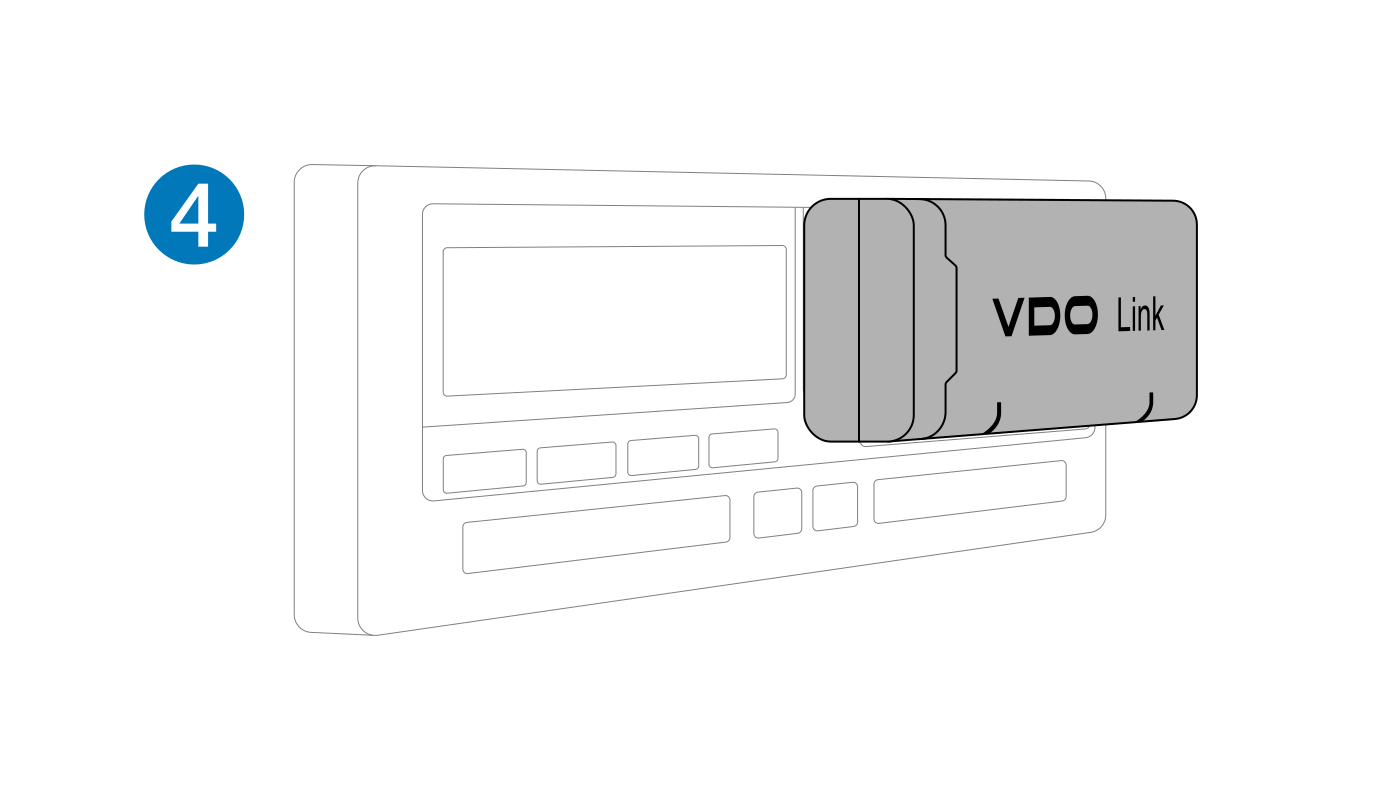
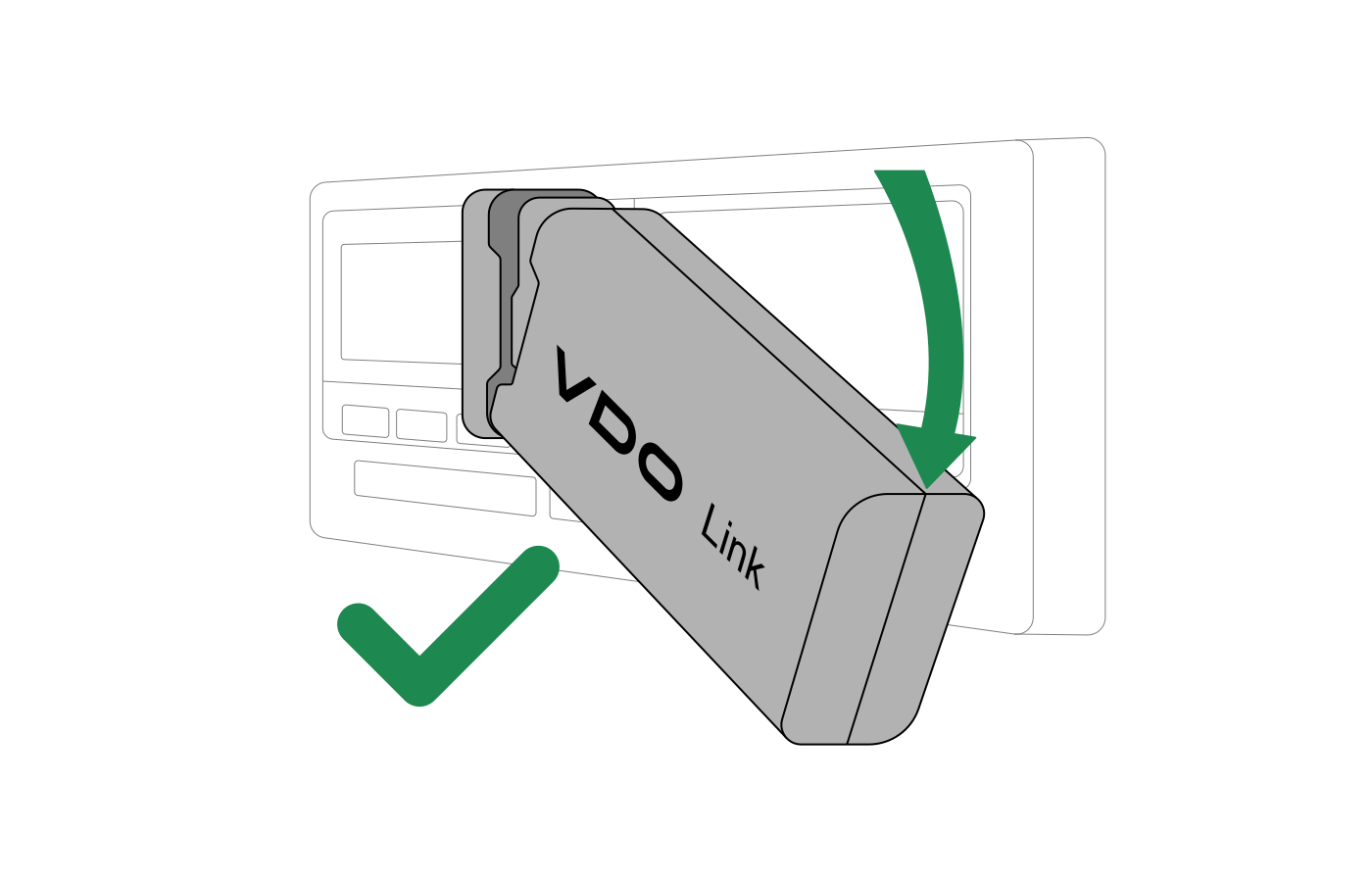
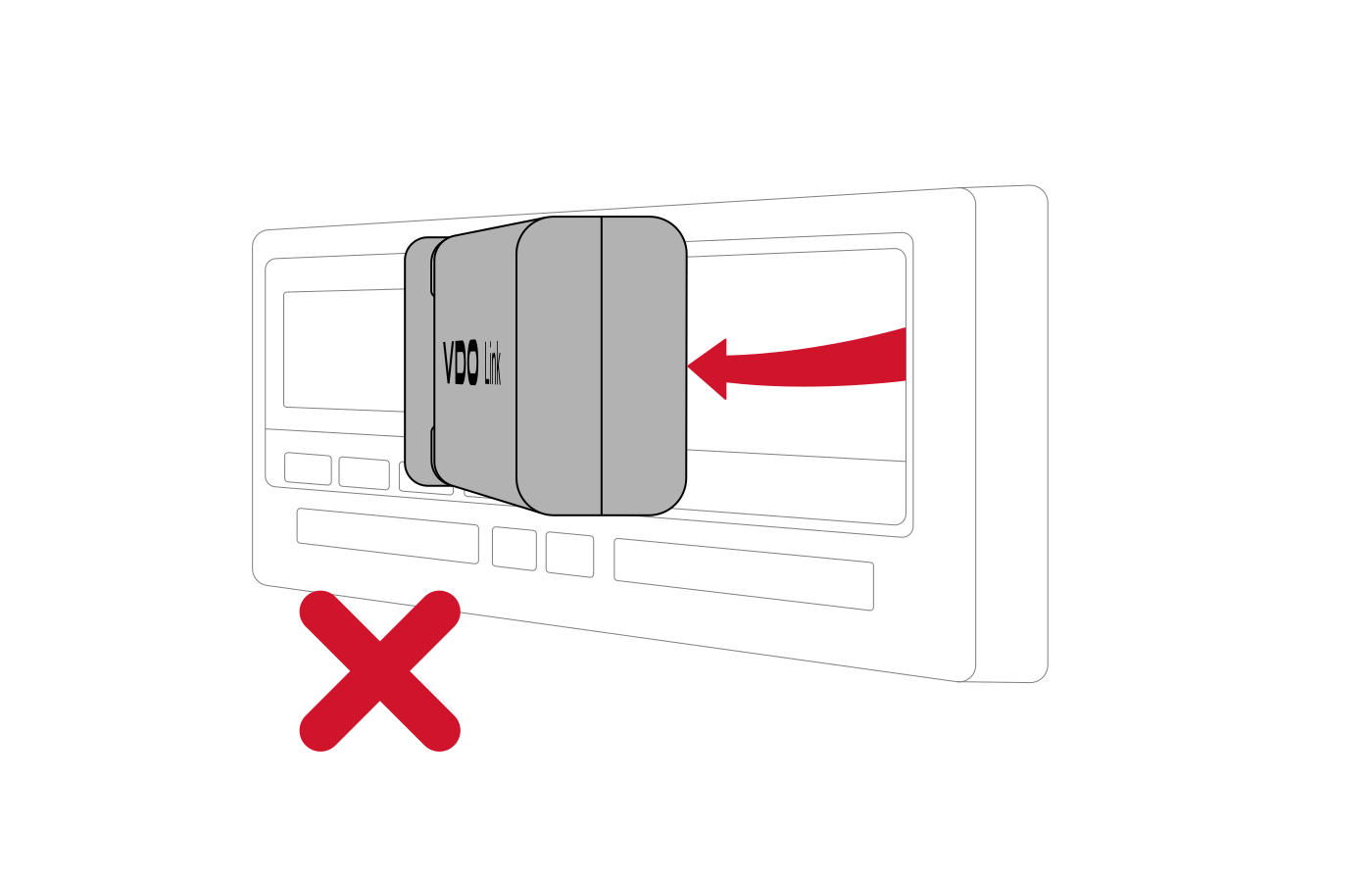
  • PLUG & PLAY Save valuable time and effort – simply connect VDO Link to your tachograph, register and you are ready.
  • TRACK & TRACE Track your drivers’ driving and resting times, vehicle availability and location in real time – perfect for route planning.
  • AUTOMATIC DATA DOWNLOAD Automated downloads of legally required tachograph and driver card data ensure compliance, secure archiving on VDO Fleet servers and easy access for audits.
  • EASY INTEGRATION INTO THIRD-PARTY SYSTEMS Thanks to its Plug & Play solution, VDO Link is the ideal telematics device for easily integrating tachograph data into third-party systems for further processing and offering new services.


PLUG & PLAY

Unplug


TROUBLESHOOTING

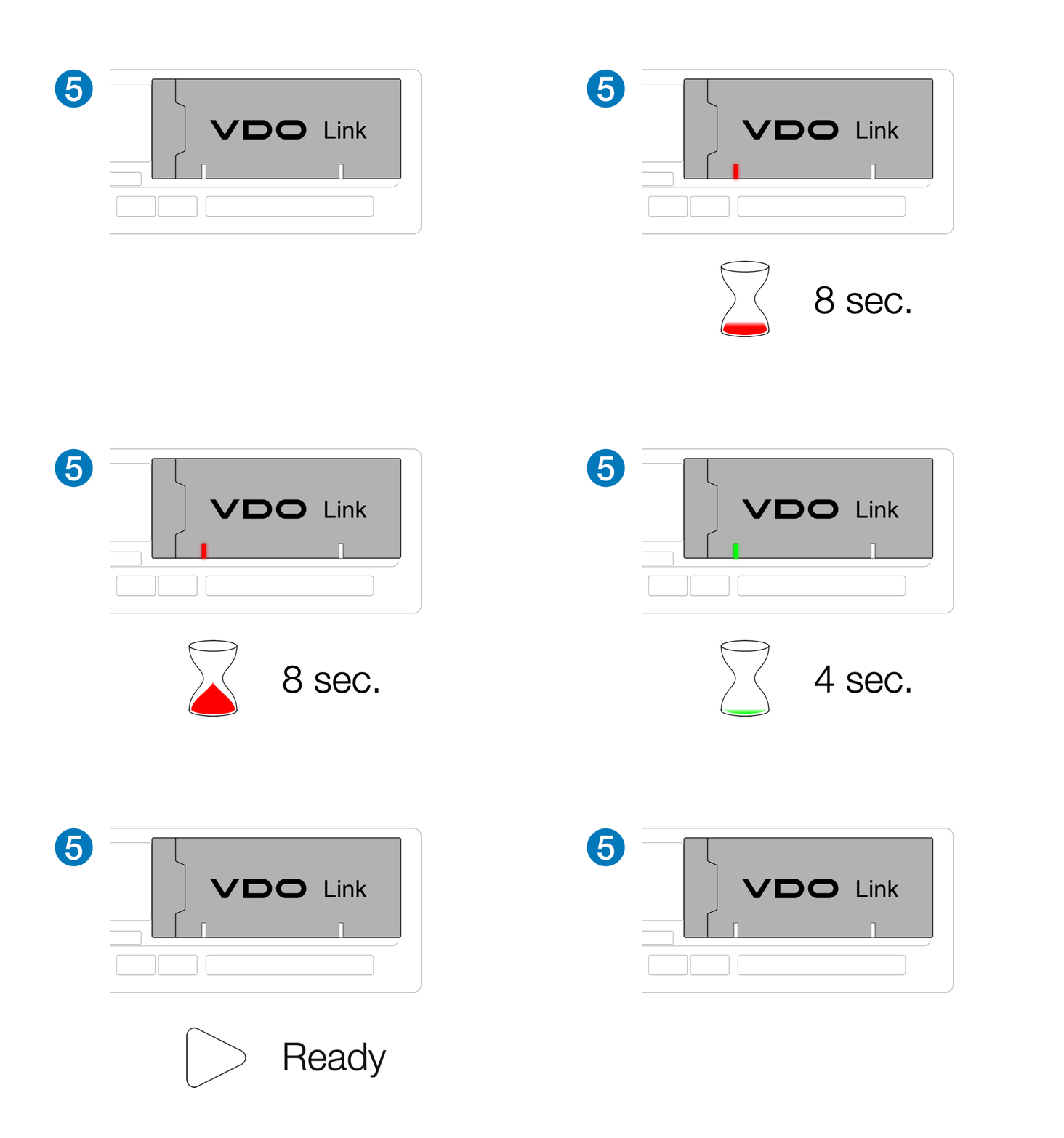
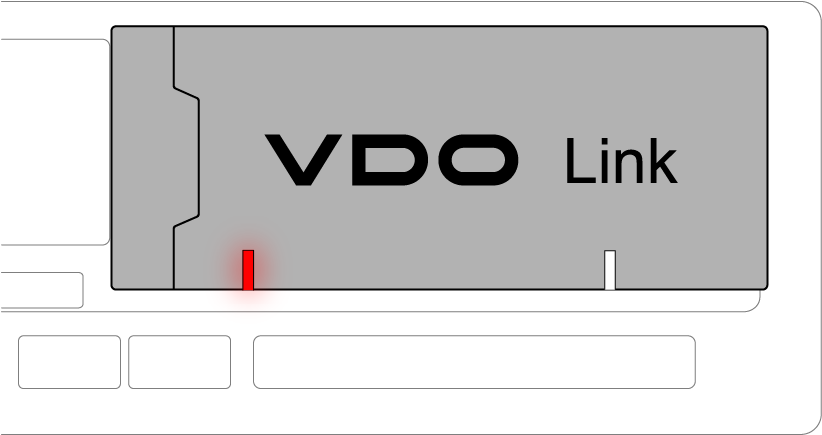
If there is an error during startup, the left LED will be solid red for approximately 8 seconds followed by 4 seconds of flickering.
With an interruption of 2 seconds, the error code is displayed according to the following scheme.

In case of an error, please reconnect the VDO-Link to the Tachograph.

LED flicker 4s Flicker 4s Mobile / IoT error
LED blink fast 4s Fast blink 4s K-Line error
LED blink slow 4s Slow blink 4s RS232 error
LED solid 4s Solid 4s -


If the error continues, please contact your service provider or submit a ticket in our myVDO Customer Portal.

Contact Support

Declaration of Conformity


Myvdo-Portal-Teaser

DO YOU NEED SUPPORT? Contact our VDO Experts!

If you are facing any issues with our VDO Link, please click on the button below & register for our myVDO Customer Portal. Apart from the possibility to raise issues to us & get our direct support, you will benefit from industry updates, eLearnings about VDO products & their use, DTCO Retrofit check, software updates for VDO download tools & much more. 

VDO welcomes you to become a part of a international community of drivers, fleet managers & fleet operators dedicated to compliant & safe driving.

×